1.Function introduction
You can delete the message you sent within a certain period of time. After deletion, the original location of the message will display "You deleted a message".
2.Operation process
2.1Message sender Delete message
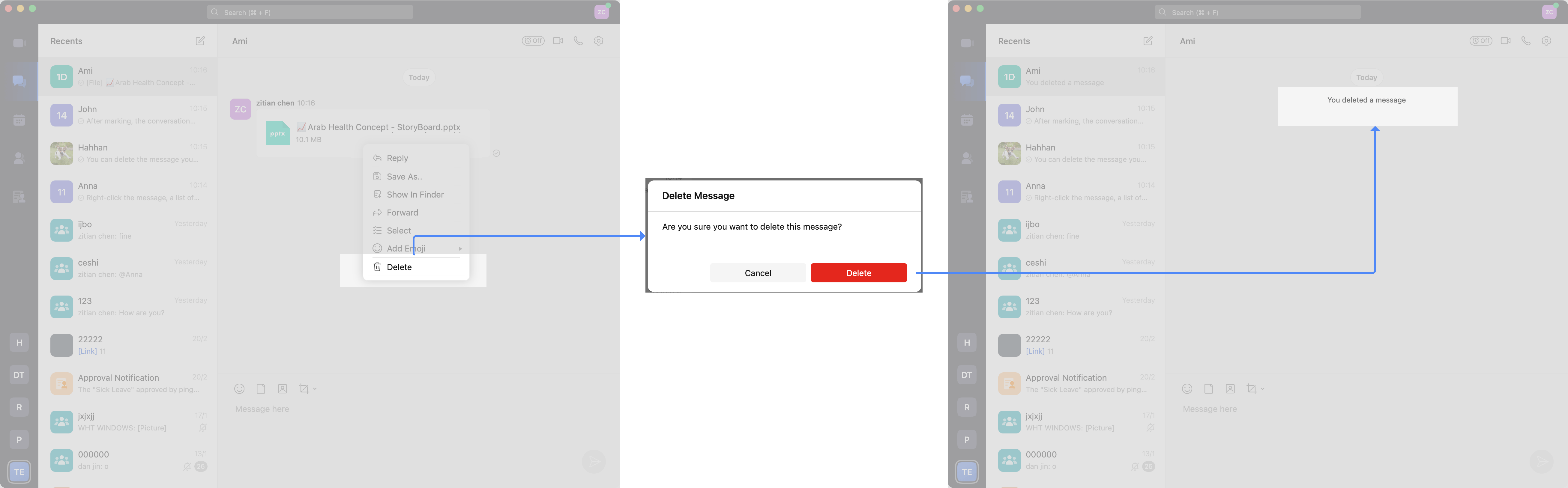
Right-click the message, a list of more functions will pop up, click Delete to delete the message.
After Delete, the original location of the message will display [Sender Name] Deleted a message.
2.Operation process
2.1Message sender Delete message
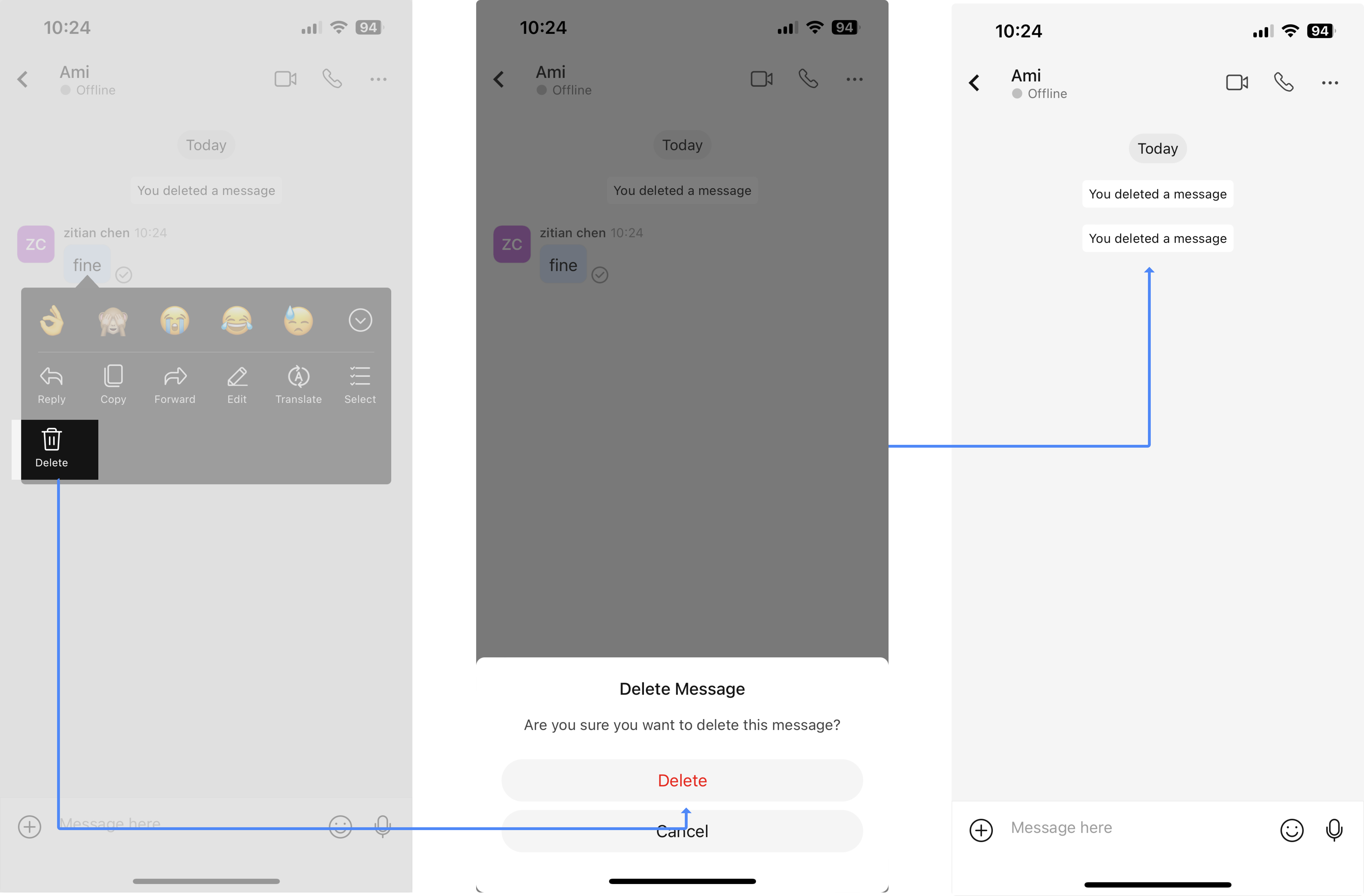
Long press the message and click Delete in the more functions list to delete the message.
After Delete, the original location of the message will display [Sender Name] Deleted a message.
3.Q&A
Q: Is there a time limit for deleting messages?
A: No.